Aug 5, 2024

Robot Task Management Designed to Expand

An operator-friendly robot app that makes it easy to command autonomous fleets live in the field.

Burro is an autonomous robotics startup building mobility platforms for agriculture, construction, and industrial worksites. As the product line expanded from the original Burro into Burro Grande, the use case shifted from short distance mobility in crop rows to full-site towing and transport. I led end-to-end product and UX design for Task Manager, a new task assignment experience that made it easier for operators to send Burros across large sites with less setup, clearer feedback, and a workflow that could scale into future task types beyond the initial application of navigation only.

Role

Lead Product & UX Designer

Company
Industry

Autonomous Robotics

Team

Josh Tillett – Project Lead
Craig Miller – Staff Engineer
Mona Gridseth – Staff Engineer
Logan Danek – Senior Engineer
Angle Robles – Software Engineer

Responsibilities

UX Design
User Research
Design System
Feature Prioritization

Tools

Figma
FigJam
Flutter
Loom

Problem

The existing interface was built for smaller, high-touch environments where operators manually created daily paths for repeat actions. That workflow didn’t scale to large sites or Burro Grande operations.

Goal

Create a simple, intuitive task experience that lets operators select destinations, edit tasks, and confidently start autonomous operations. The new experience should be approach enough that a passer by can interface with the robot with no training.

Impact

Shipped a new on-robot UI that expanded use cases and expanded market share, contributing to 2.5× YoY revenue growth and supporting ~$1.2M in new software ARR.

Aug 5, 2024

Robot Task Management Designed to Expand

An operator-friendly robot app that makes it easy to command autonomous fleets live in the field.

Burro is an autonomous robotics startup building mobility platforms for agriculture, construction, and industrial worksites. As the product line expanded from the original Burro into Burro Grande, the use case shifted from short distance mobility in crop rows to full-site towing and transport. I led end-to-end product and UX design for Task Manager, a new task assignment experience that made it easier for operators to send Burros across large sites with less setup, clearer feedback, and a workflow that could scale into future task types beyond the initial application of navigation only.

Role

Lead Product & UX Designer

Company
Industry

Autonomous Robotics

Team

Josh Tillett – Project Lead
Craig Miller – Staff Engineer
Mona Gridseth – Staff Engineer
Logan Danek – Senior Engineer
Angle Robles – Software Engineer

Responsibilities

UX Design
User Research
Design System
Feature Prioritization

Tools

Figma
FigJam
Flutter
Loom

Problem

The existing interface was built for smaller, high-touch environments where operators manually created daily paths for repeat actions. That workflow didn’t scale to large sites or Burro Grande operations.

Goal

Create a simple, intuitive task experience that lets operators select destinations, edit tasks, and confidently start autonomous operations. The new experience should be approach enough that a passer by can interface with the robot with no training.

Impact

Shipped a new on-robot UI that expanded use cases and expanded market share, contributing to 2.5× YoY revenue growth and supporting ~$1.2M in new software ARR.

Aug 5, 2024

Robot Task Management Designed to Expand

An operator-friendly robot app that makes it easy to command autonomous fleets live in the field.

Burro is an autonomous robotics startup building mobility platforms for agriculture, construction, and industrial worksites. As the product line expanded from the original Burro into Burro Grande, the use case shifted from short distance mobility in crop rows to full-site towing and transport. I led end-to-end product and UX design for Task Manager, a new task assignment experience that made it easier for operators to send Burros across large sites with less setup, clearer feedback, and a workflow that could scale into future task types beyond the initial application of navigation only.

Role

Lead Product & UX Designer

Company
Industry

Autonomous Robotics

Team

Josh Tillett – Project Lead
Craig Miller – Staff Engineer
Mona Gridseth – Staff Engineer
Logan Danek – Senior Engineer
Angle Robles – Software Engineer

Responsibilities

UX Design
User Research
Design System
Feature Prioritization

Tools

Figma
FigJam
Flutter
Loom

Problem

The existing interface was built for smaller, high-touch environments where operators manually created daily paths for repeat actions. That workflow didn’t scale to large sites or Burro Grande operations.

Goal

Create a simple, intuitive task experience that lets operators select destinations, edit tasks, and confidently start autonomous operations. The new experience should be approach enough that a passer by can interface with the robot with no training.

Impact

Shipped a new on-robot UI that expanded use cases and expanded market share, contributing to 2.5× YoY revenue growth and supporting ~$1.2M in new software ARR.

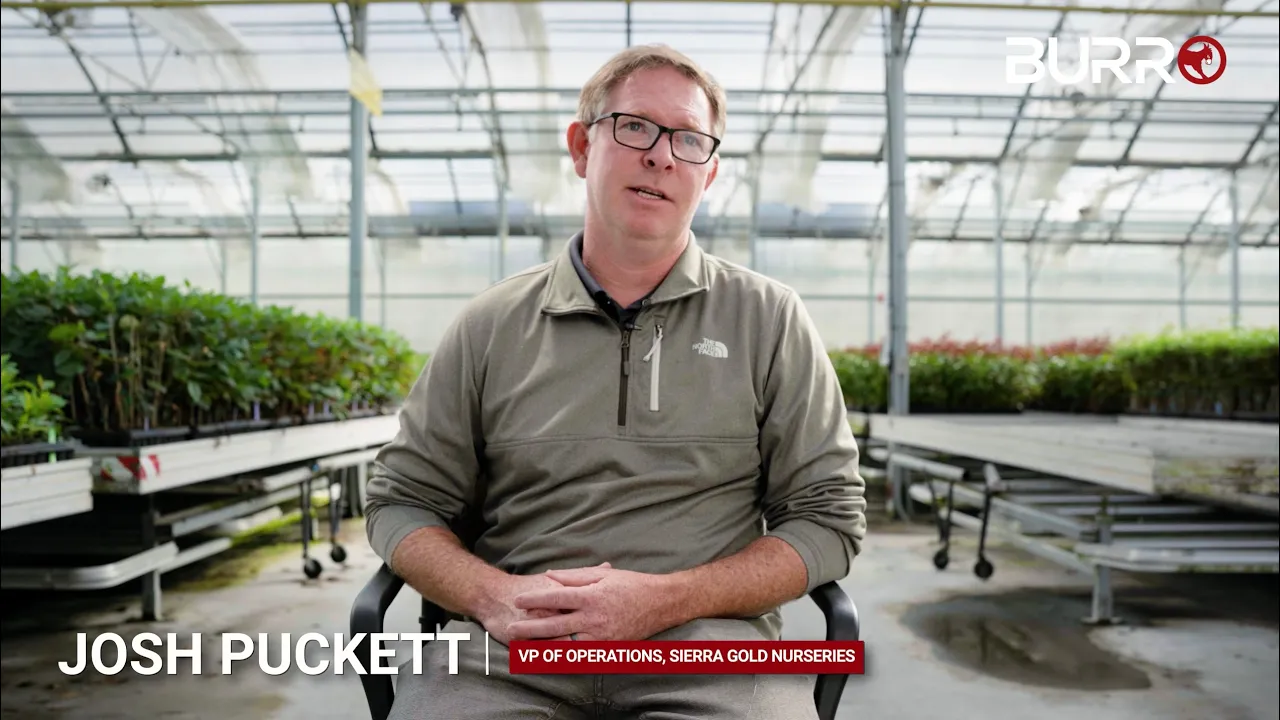
Customer Testimonial
Recent Release

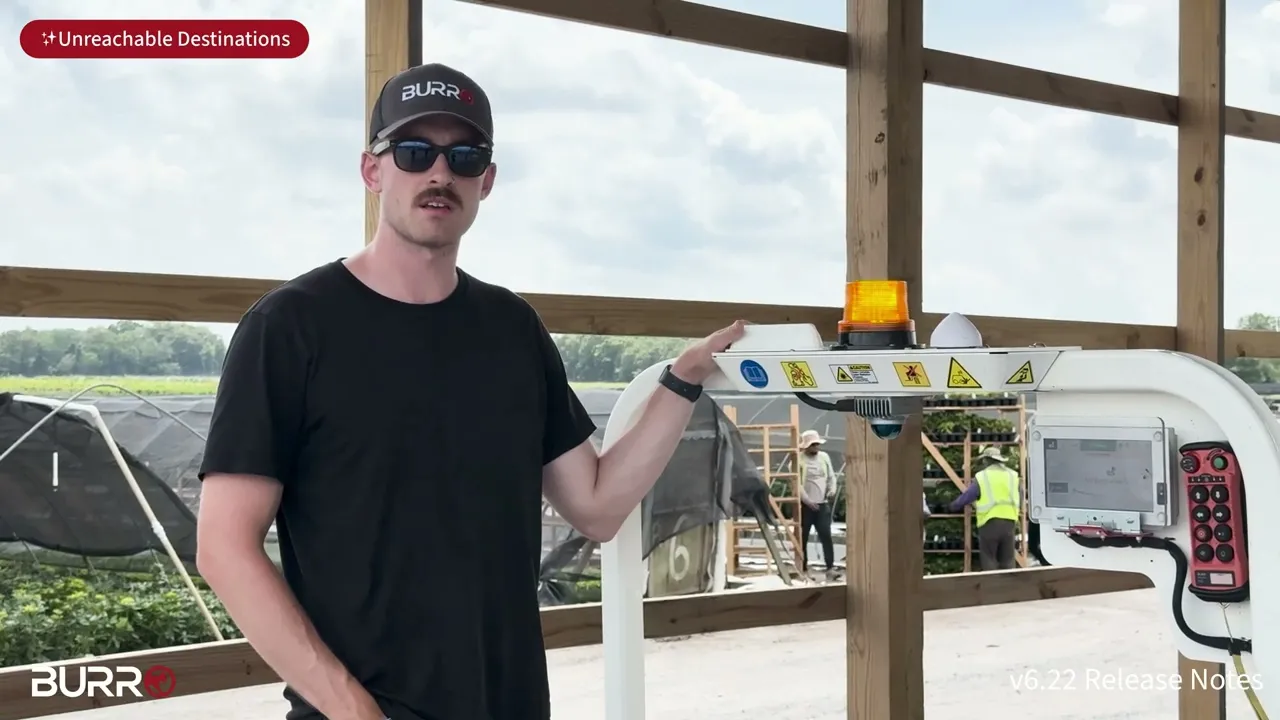
🌟 Featuring Me

Recent Release

🌟 Featuring Me

Recent Release

🌟 Featuring Me

Discovery

Research & Context Building

We partnered closely with customers and Burro’s field engineers and support team to observe real workflows, pinpoint where the legacy UI failed in the field, and iterate quickly based on direct feedback.

Discovery

The system had to scale & adapt to dynamic, real-world operations

As Burro expanded from row-based hauling into site-wide towing and transport, the operating environment changed fast. Routes were less predictable, destinations shifted day to day, and operators needed to make decisions in the moment. The legacy experience was powerful, but it assumed high-touch usage and consistent workflows.

We ran a focused discovery phase with engineering, support, and customers to understand where the existing system broke down and what the new use case demanded. Field feedback and workflow walkthroughs consistently pointed to the same reality: autonomy only scales when the experience stays simple and confidence-building under real conditions.

Guiding Question

“How can the robot provide real value & ROI to the customer?”

Guiding Question

“How can the robot provide real value & ROI to the customer?”

Guiding Question

“How can the robot provide real value & ROI to the customer?”

Legacy Use Case & Opeartion

Legacy Limitations
Designed for rows
Designed for rows
Designed for rows
High setup overhead
High setup overhead
High setup overhead
Hard product constraints
Complex, institutional knowledge
Customer Needs
Flexible task structure
Adaptive, fast edits
Automated tasks
Automated tasks
Automated tasks
Clear, reliable feedback & guidance

One thing became especially clear during our discovery:

Key Insight

Design for real-world variability, not ideal & rigid workflows

Discovery showed the system couldn’t assume consistent routes, dedicated power users, or perfect conditions. To scale, the experience had to stay clear and confidence-building even when environments change, tasks shift, and a different person steps in mid-operation.

Solution

Final Designs, Deliverables, & Solutions

To address these limitations and needs, we rebuilt the experience from the ground up. The focus was a simple, operator-friendly workflow that reduced setup time, improved clarity in the field, and could scale into future task types and environments.

Key Improvements
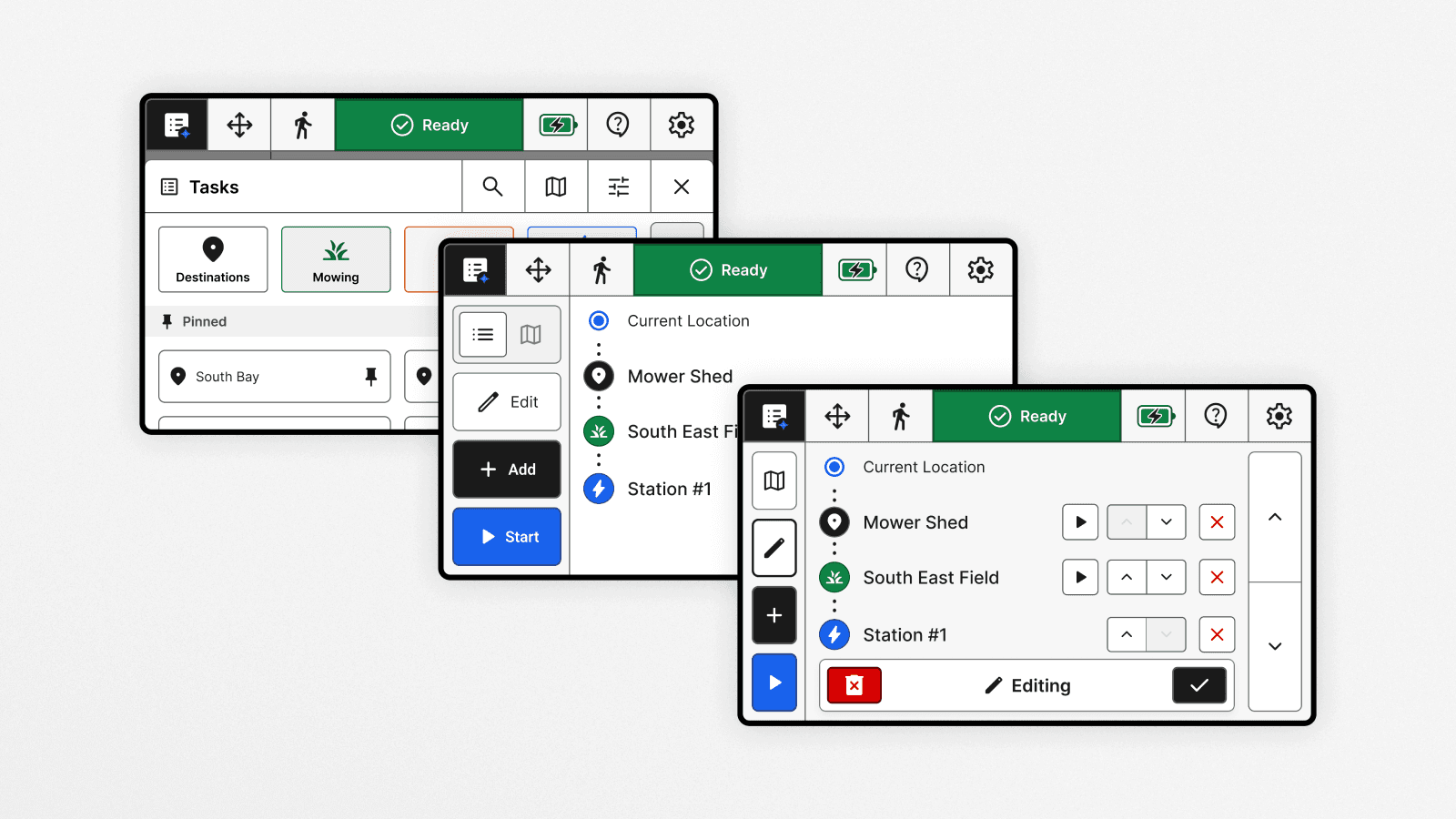
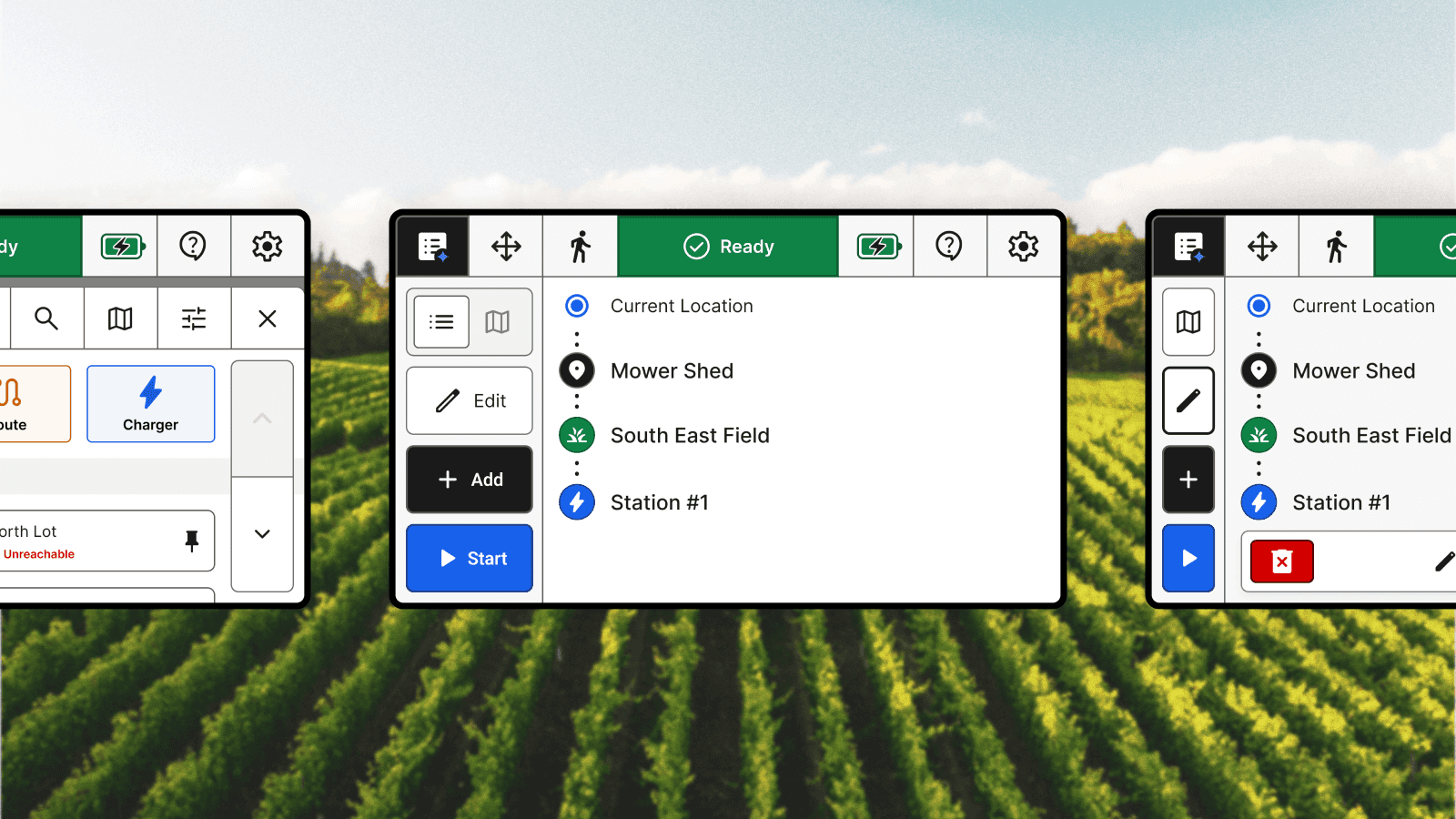
Polished UI
Polished UI
Reimagined app architecture
Streamlined task selection & editing
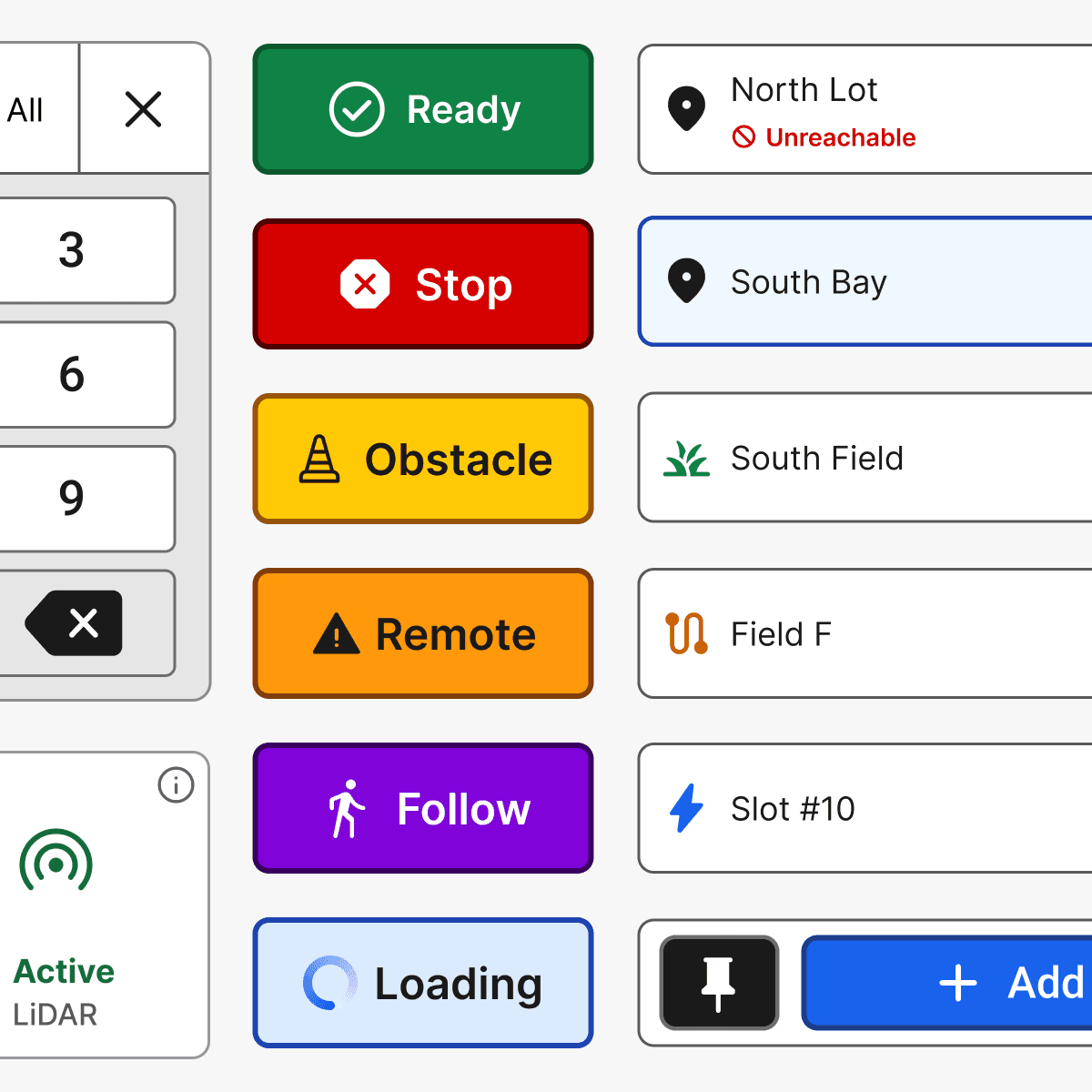
System status & communication

Component Library

Color System

Solution

App Navigation & Structure

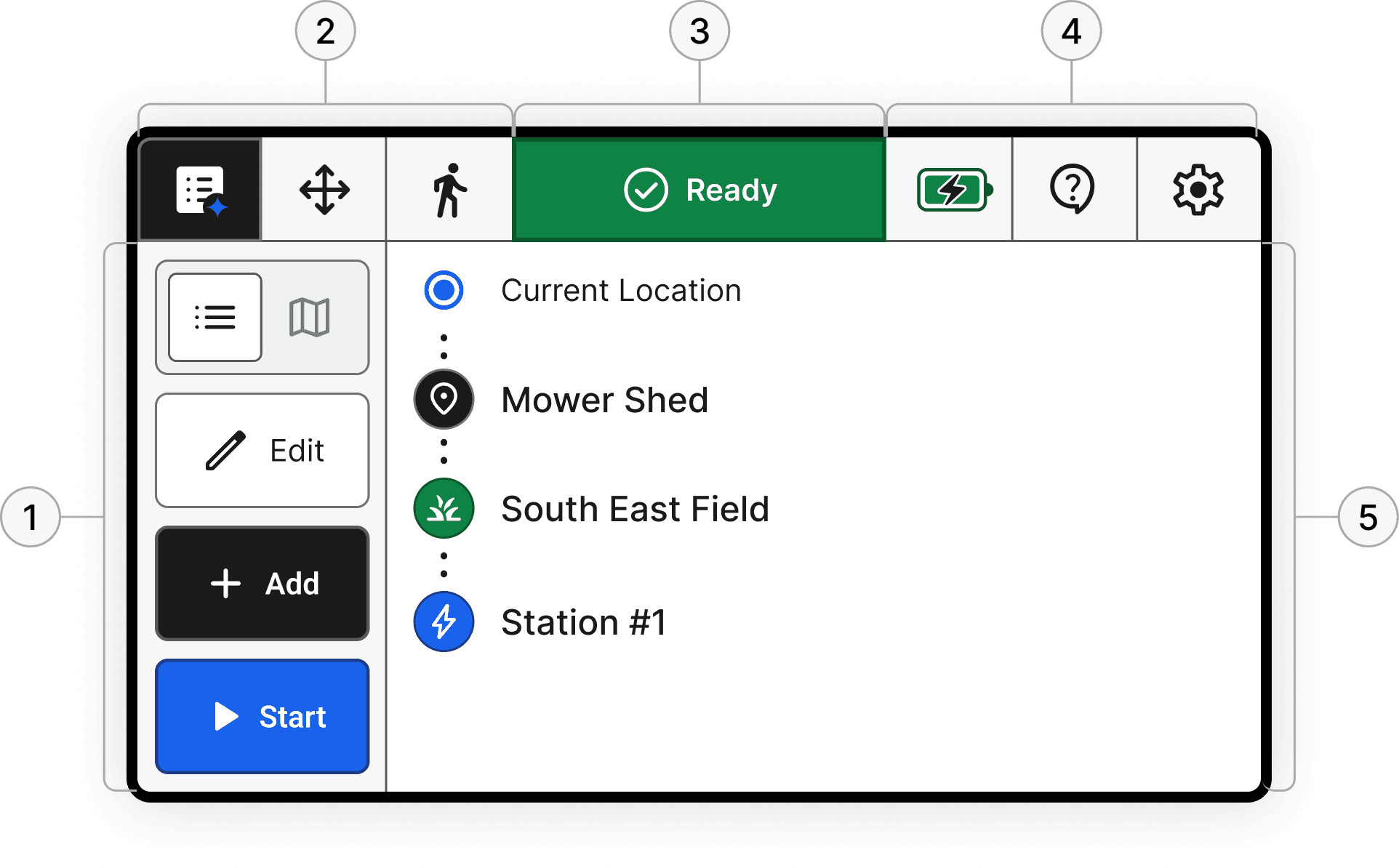
We rebuilt the app structure around clarity and speed: a single place to manage tasks, switch between modes of operation, and persistent system status so operators can act quickly and confidently.

Legacy
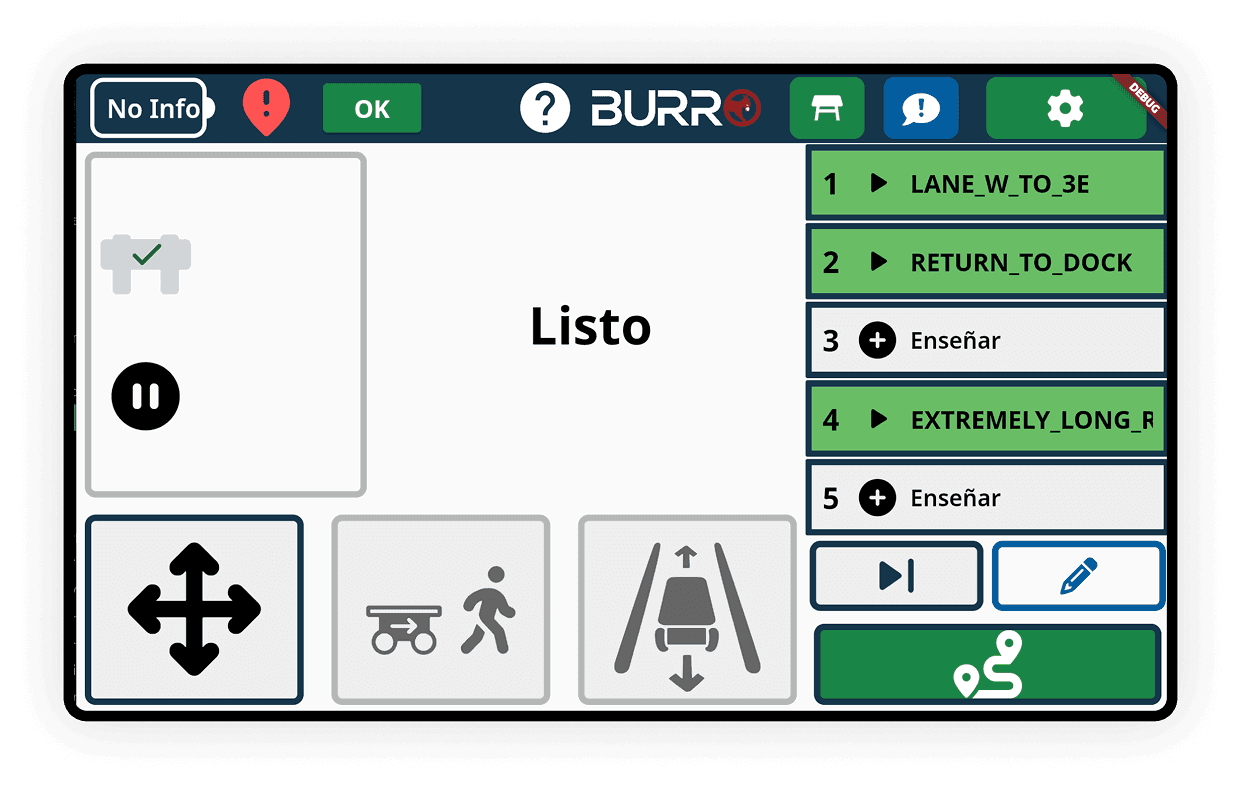
Updated ✨
1
Task Action

Primary controls for managing the workflow. Create, edit, and start tasks from one consistent place.

2
Modes of Operation

Quick access to current mode, how the robot is being used, such as autonomy, follow, or manual.

3
System Status

The robot’s current state is always visible. This builds confidence and reduces guesswork during operation.

4
Secondary Status & Actions

Fast access to key info and support actions like battery, help, report issue, and settings.

5
Task List

The main workspace where tasks live. View, select, and manage destinations in the order work actually happens.

Impact

Value realized and measured

This work was especially rewarding because we could measure impact over time after launch. The initial release rolled out to a small set of already-sold robots, then expanded across the fleet as we iterated based on field feedback. The result was a more scalable on-robot workflow that increased product value, supported recurring software revenue, and became part of daily operations for hundreds of people.

$1.2 M ARR

Task Management helped unlock subscription revenue tied to the software experience.

$1.2 M ARR

Task Management helped unlock subscription revenue tied to the software experience.

$6 M in Sales

The new capability supported broader adoption and helped unlock a larger market for the product.

$6 M in Sales

The new capability supported broader adoption and helped unlock a larger market for the product.

500,000 Hours

By making the workflow easier to set up and run, customers could operate more efficiently at scale, reducing cost of labor.

500,000 Hours

By making the workflow easier to set up and run, customers could operate more efficiently at scale, reducing cost of labor.

Insights

Lessons learned and takeaways

Beyond the business return, this project shaped how I approach human-robot interaction. It reinforced that the best autonomy experiences are not just powerful. They are easy to understand, easy to trust, and easy to operate in real conditions.

Simplicity and clarity drive adoption & scale

When the technology is complex, the interface cannot be. Clear system feedback and obvious next steps are what turn capability into daily usage.

Real-world variability beats ideal workflows

The system could not assume consistent routes, dedicated power users, or perfect conditions. The experience had to stay clear even when everything changes.

Real-world variability beats ideal workflows

The system could not assume consistent routes, dedicated power users, or perfect conditions. The experience had to stay clear even when everything changes.

Trust comes from predictable feedback

Operators trust autonomy when status, intent, and exceptions are consistent and easy to interpret. Ambiguity reads as failure.

Trust comes from predictable feedback

Operators trust autonomy when status, intent, and exceptions are consistent and easy to interpret. Ambiguity reads as failure.

Next Steps

After the initial release, we continued iterating based on field feedback to improve reliability, expand capability, and refine the operator experience. The latest release is included here.

Recent Release

🌟 Featuring Me

Recent Release

🌟 Featuring Me

Recent Release

🌟 Featuring Me